Authorize your paid Mobbin account through Mobbin’s official hosted MCP, then search real screens, user flows and website sections from your AI.
Status: Available. Mobbin uses its official hosted MCP server and browser OAuth. You do not paste a Mobbin API key. A paid Mobbin plan (Pro, Team or Enterprise) is required; a free account cannot authorize.Explore the Mobbin connector.
A Mobbin account on a paid plan (Pro, Team or Enterprise)
An ApexGenius account
How to connect Mobbin
Before you start
An account with permission to use the Mobbin resources you intend to connect.
1
Open Mobbin in Connections
Choose Connect, or Add connection when offered. Give the connection a name if prompted. If Gateway setup pending appears, contact ApexGenius support before continuing.
2
Choose the account and review access
Sign in to Mobbin in the browser and grant the assistant access. Mobbin uses browser authorization; no API key. A paid Mobbin plan (Pro, Team or Enterprise) is required, and Mobbin allows 60 requests a minute.
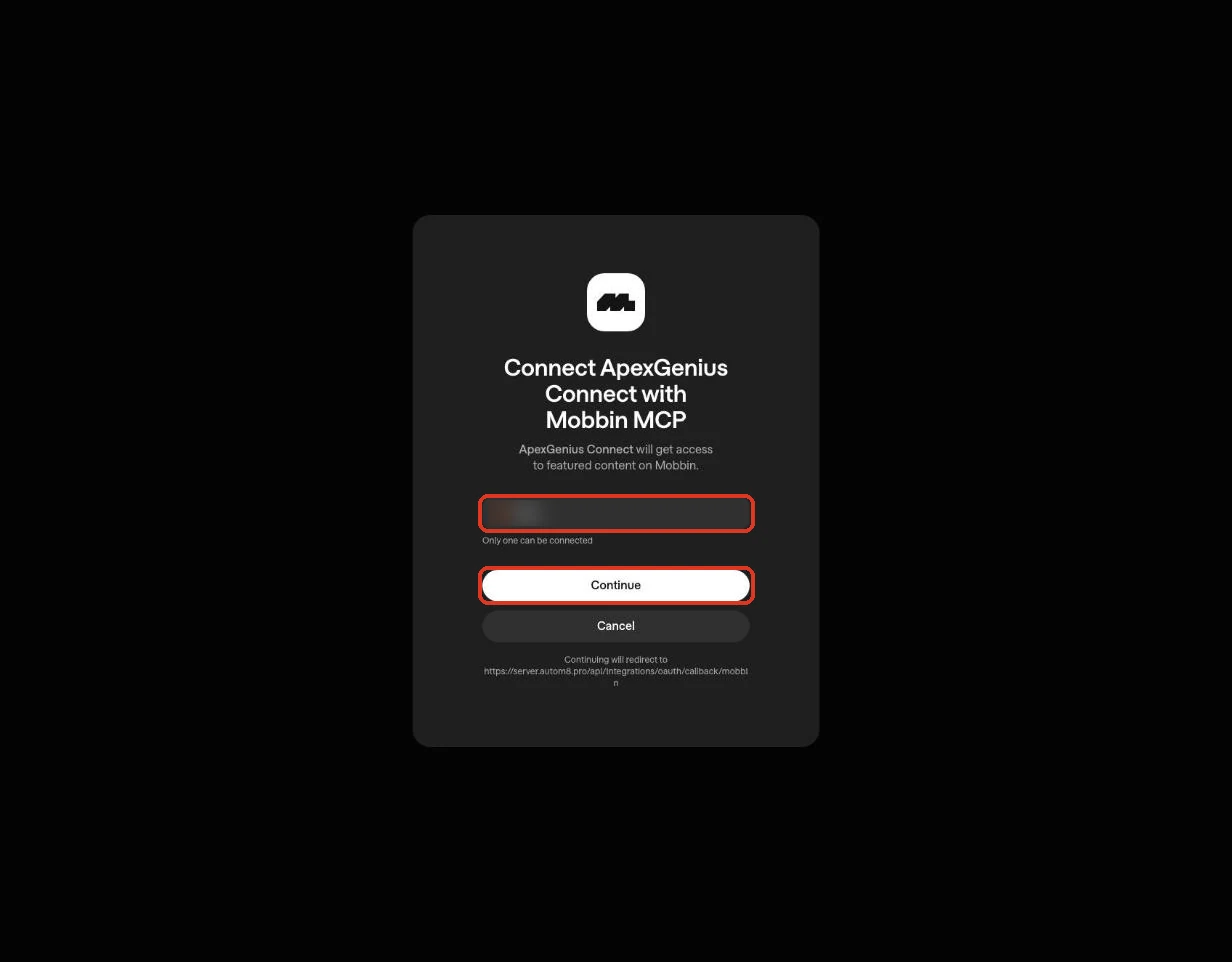
Mobbin names the ApexGenius client, the signed-in Mobbin account and the callback address. Continue connects your account. Cancel stops without connecting. The account name is blurred in this capture.
3
Review the connected account and resources
Confirm the connected Mobbin account. Open Tools to review the three search tools: screens, user flows and website sections. Results are references from shipped products, not assets to copy.
4
Check the connection
Use Test connection or Check again and read the reported status. Add an AI agent from the AI agents page, choose Read only for the first test, and try the question below.
Try a first question with your AI agent
Search Mobbin for five mobile screens that show an empty state on search results, and name the product behind each. Do not change anything.
Open Skills on the connection to read Mobbin, or read that MCP prompt in a compatible AI client with prompts/get. It explains the first safe read and how to use the results.Three ApexGenius tools reach Mobbin’s live catalog:
ApexGenius tool
What it does
Access
mobbin_search_tools
Lists the tools Mobbin publishes right now, with their schemas
Read
mobbin_call_read_tool
Runs a tool only when Mobbin’s live catalog marks it read-only
Read
mobbin_call_tool
Runs any Mobbin tool the live catalog does not mark read-only; Mobbin publishes none today
Write
Mobbin documents these operations. Your AI finds the exact current list with mobbin_search_tools, and Mobbin may add tools.
Job
Reads
Screens
search_screens: a login screen, paywall, empty state, dialog, form or navigation treatment
Nothing here changes Mobbin or any other system: every documented operation is a read, so there is nothing to undo. Results are references from shipped products; name the product behind each one and take the decisions, not the pixels. Mobbin allows 60 requests a minute per user.If a layer fails (the connection, the tools, or the skill), Mobbin is partially ready. A saved sign-in by itself does not make the connector usable.