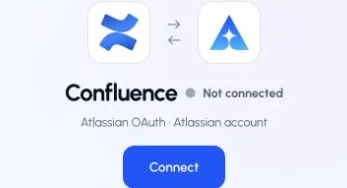
Authorize an Atlassian account and keep Confluence spaces separate from Salesforce project context.
Status: Available. Confluence uses Atlassian OAuth. The connection belongs to the signed-in ApexGenius user, and the connected Atlassian account determines which spaces and pages the gateway can reach. A Confluence space remains a Confluence resource. It is not an ApexGenius or Salesforce project.Use this connection from Claude, ChatGPT, Codex, Grok Bot, Muse or another compatible AI agent. Each agent needs its own ApexGenius setup once; start with Claude, ChatGPT or Codex.
Sign in with the Atlassian user whose Confluence permissions should apply.
Confirm that the user can access the intended Confluence site and spaces.
Review the permissions on the Atlassian consent screen before approving.
Atlassian OAuth scopes do not override Confluence permissions. A connected user who cannot view a page in Confluence does not gain that permission through ApexGenius.
Start with a page search, then read the matching page.
Available tools.The current Confluence connector makes six operations discoverable when the connection is active and healthy: list spaces, search pages, list pages, get a page, create a page, and update a page. Create and update stay inside the permissions and OAuth scopes of the connected Atlassian account.
How to connect Confluence
Before you start
An Atlassian account with permission to read the Confluence site and spaces you need.
1
Open Confluence in Connections
Sign in to ApexGenius, open Connections, choose Confluence, and select Connect.
Open Confluence in Connections and choose Connect to start setup.
2
Authorize Atlassian
Sign in with the intended Atlassian account, select the correct site, and review the requested permissions.
3
Choose the spaces
Return to the saved connection, refresh its resources, and enable the spaces you want your AI to reach.
Try a first question with your AI agent
Find up to five Confluence pages I can read. Show their titles and links without editing anything.