Connect GitHub to ApexGenius with a personal access token and read repositories, code, issues and pull requests from your AI. The connection is read-only.
Status: Available. GitHub uses GitHub’s hosted MCP server and a personal
access token you create. ApexGenius sends GitHub’s read-only header, so your AI
can read repositories, files, code search, commits, releases, issues and pull
requests, and cannot change anything in GitHub.Explore the GitHub connector.
Resource owner: the account or organization that owns the repositories.
Repository access: only the repositories your AI should read.
Repository permissions: Contents, Issues and Pull requests set to
Read-only. GitHub adds Metadata Read-only on its own.
Organization permissions: Members Read-only, only if you want team reads.
A classic token also works. Use the repo scope for private repositories
and read:org for teams. A classic repo token can write on GitHub itself,
but this connection still sends only read requests.An organization can require approval for fine-grained tokens, or block classic
tokens. If a repository is missing, check the token and the organization’s
token policy first.
A GitHub account that can read the repositories you want your AI to use.
A personal access token. A fine-grained token is best: choose the repositories and set Contents, Issues and Pull requests to Read-only. A classic token with the repo scope also works.
1
Create a token on GitHub
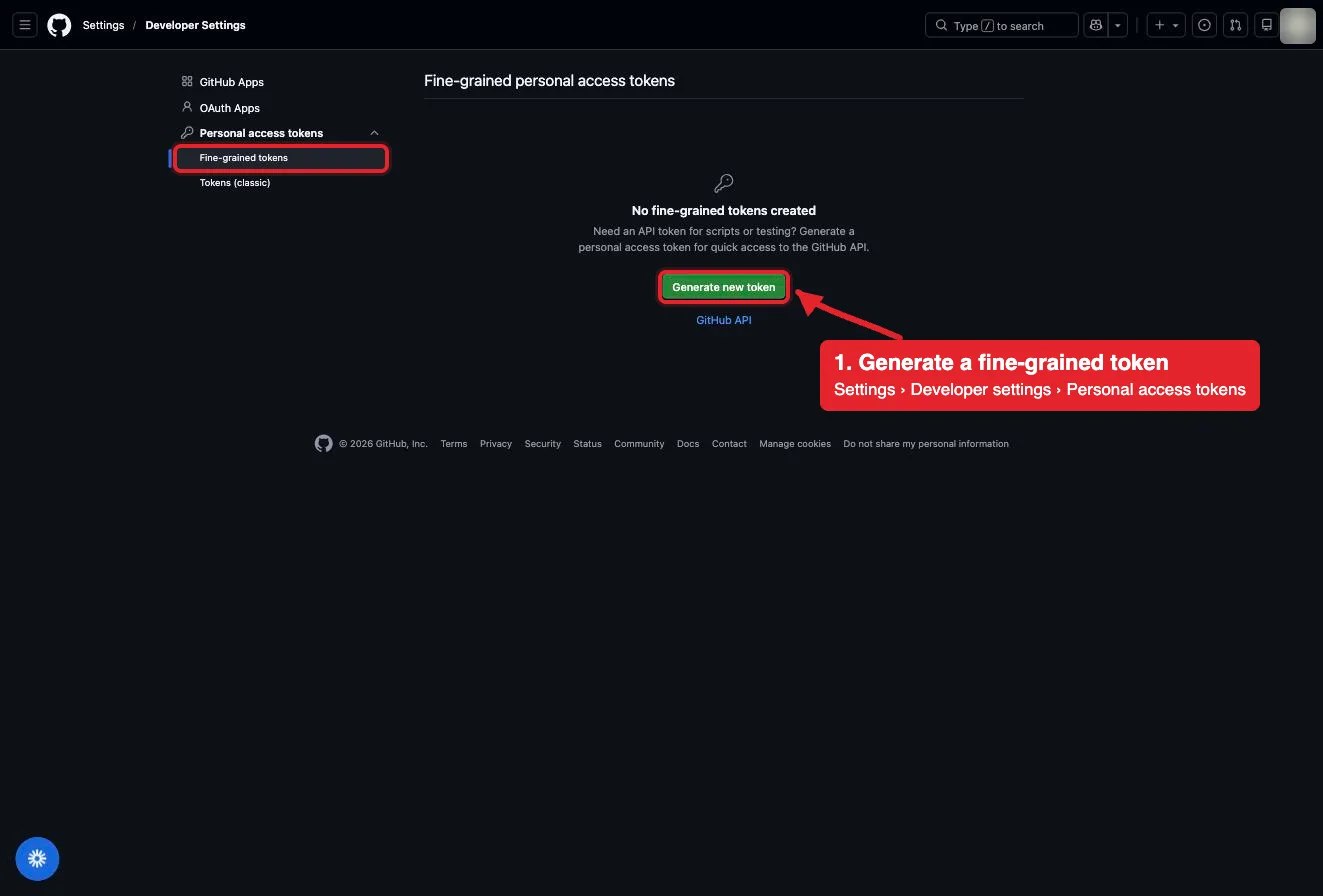
Open github.com/settings/personal-access-tokens and choose Generate new token. Pick the account or organization that owns the repositories, choose the repositories, and set Contents, Issues and Pull requests to Read-only. Add Members Read-only under organization permissions only if you want team reads. Copy the token once.
Settings, Developer settings, Personal access tokens, Fine-grained tokens. Generate new token starts one. The account avatar is blurred in this capture.
2
Open GitHub in Connections
Sign in to ApexGenius, open Connections, choose GitHub, and select Connect.
3
Paste the token
Paste the token into the connection form. ApexGenius supplies the GitHub MCP address, checks the token with GitHub, and stores it encrypted. Never paste the token into a chat.
4
Check the connected account
Open Tools to see the read tools GitHub lists for your token, then ask your AI the question below. Compare the login with your GitHub account.
Try a first question with your AI agent
Using GitHub, tell me which GitHub account is connected, then read the README of the repository I name. Do not change anything.
Confirm the login matches your GitHub account and the README matches the repository on github.com. If the README is missing, check that the token includes that repository. The connection is read-only, so this check changes nothing.
Open Skills on the connection to read GitHub, or read that MCP prompt
in a compatible AI client. It explains the first safe read, the token rules and
the read tools below.Three ApexGenius tools route GitHub’s live read-only catalog:
ApexGenius tool
What it does
Access
github_search_tools
Lists the read tools GitHub offers for your token, with their schemas
Read
github_call_read_tool
Runs one discovered GitHub read. Anything GitHub does not mark read-only is refused
Read
github_call_tool
GitHub offers no write tools on this connection, so this route has nothing to change
None in practice
GitHub documents these reads in its default toolsets:
Your AI discovers the tools with apex_search_tools and runs reads with
apex_call_read_tool. This connection has no writes. Approval works the same
way on every ApexGenius connector: Writes run right away. If the owner set a
tool to Ask me first (approval mode always), the call returns
approval_required; a person approves it in ApexGenius and you retry with the
returned approval_request_id.
Creating or editing issues, comments, pull requests, reviews, branches, files,
releases and repositories is not offered. Actions, Dependabot, code scanning,
discussions, gists, notifications and projects are outside GitHub’s default
toolsets and are not reached by this connection.
The token was rejected. Check that you copied the whole token and that it
has not expired. Create a new one and paste it again.
A repository is missing. A fine-grained token reaches only the
repositories you picked. Edit the token on GitHub, or ask the organization to
approve it.
Issues or pull requests fail but files work. Add Issues or Pull requests
Read-only to the token.