Connect your Apify account through Apify’s official hosted MCP, find and run Actors from your AI, read results, and stop runs.
Status: Available. Apify uses its official hosted MCP server at mcp.apify.com and browser sign-in. You do not paste an Apify API token. One connection is one Apify account, and every Actor run spends Apify credits on that account.Explore the Apify connector.
Sign in to Apify in the browser and approve access.
Return to ApexGenius and open Tools to review what your AI can call.
How to connect Apify
Before you start
An account with permission to use the Apify resources you intend to connect.
1
Open Apify in Connections
Choose Connect, or Add connection when offered. Give the connection a name if prompted. If Gateway setup pending appears, contact ApexGenius support before continuing.
2
Choose the account and review access
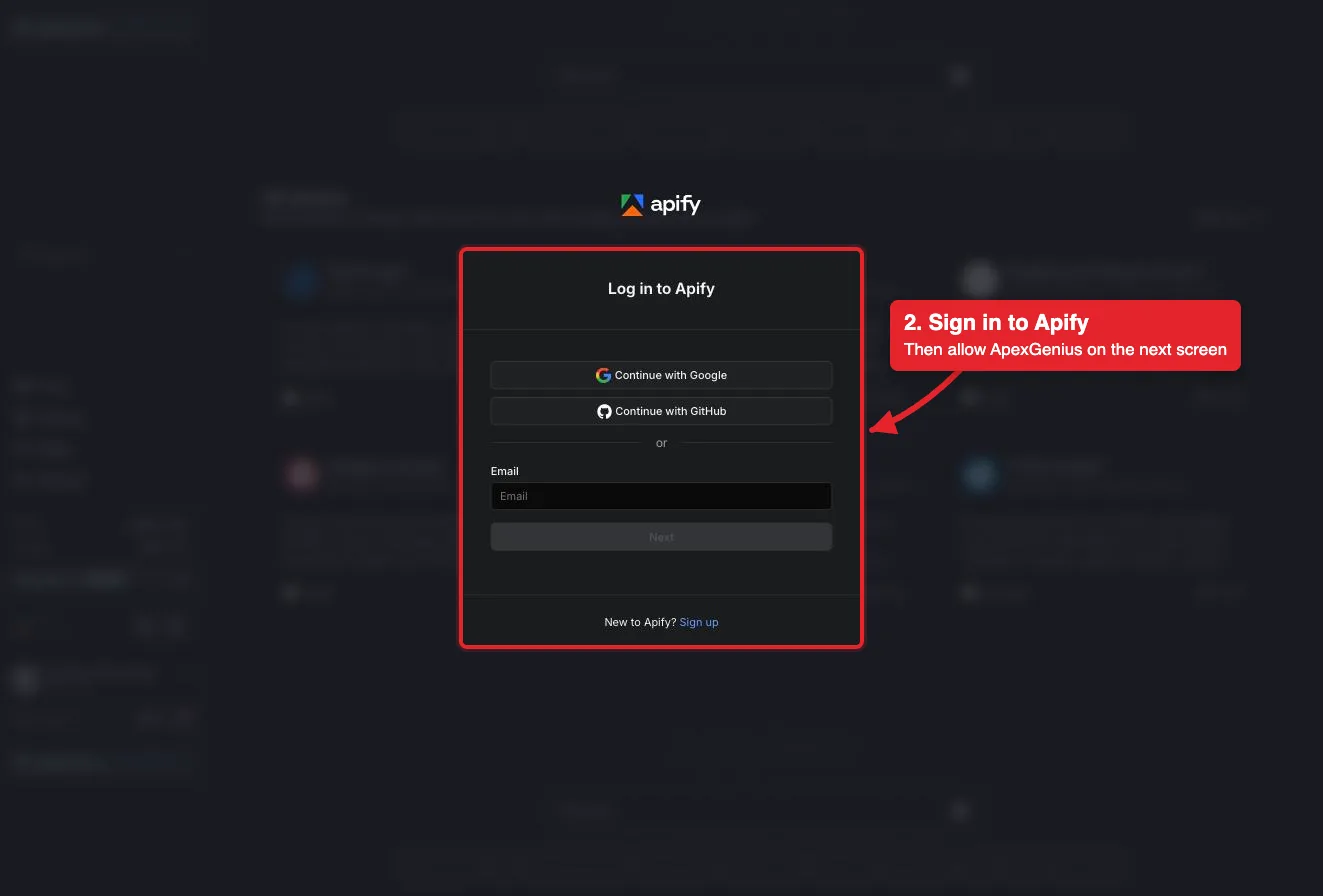
Sign in to Apify in the browser and approve access for ApexGenius. Apify uses browser authorization; no Apify API token is pasted into ApexGenius.
Connect opens Apify's own sign-in. Sign in with Google, GitHub or email, then allow ApexGenius.
3
Review the connected account and resources
Confirm the connected Apify account. Open Tools to review the Apify tools. Running an Actor spends Apify credits on that account, and a run keeps going until it finishes or is stopped.
4
Check the connection
Use Test connection or Check again and read the reported status. Add an AI agent from the AI agents page, choose Read only for the first test, and try the question below.
Try a first question with your AI agent
Search Apify Store for an Actor that scrapes Google Maps reviews and show its price. Do not run any Actor or spend credits.
Apify is one integration bundle with three layers:
Layer
What must work
Connector
Sign-in completes, the Apify account is shown, and health is current.
Tools
apify_search_tools, apify_call_read_tool, and apify_call_tool are discoverable, and a Store search returns results.
Skill
The Apify MCP prompt is readable. It covers credits, stopping a run, and undo limits.
Compatible MCP clients discover the skill with prompts/list and read it with
prompts/get using the name Apify.If any row fails, Apify is partially ready. A saved sign-in by itself is not a fully ready integration.
Find an Actor:search-actors and fetch-actor-details search Apify Store and show an Actor’s input and price.
Run an Actor:call-actor, apify--rag-web-browser, and apify--web-fetch start runs. Each run spends Apify credits.
Runs and results:get-actor-run, get-dataset-items, and get-key-value-store-record read a run and what it produced.
Stop a run:abort-actor-run stops a run that is starting or running.
Docs:search-apify-docs and fetch-apify-docs read the Apify documentation.
Reads go through apify_call_read_tool, which checks Apify’s live read-only label before each call. Runs and stops go through apify_call_tool and happen right away unless you set that tool to Ask me first. Run lists, run logs, storage lists, saved tasks, schedules, and builds are not included.
Running an Actor spends Apify credits. Some Actors charge per result or event, others for the compute, proxy, and storage they use. Reading results can use a little platform usage. Ask your AI to read the Actor’s price with fetch-actor-details before it runs anything.call-actor waits up to 45 seconds, then returns the run status. A longer run keeps going, and keeps spending, until it finishes, times out, or is stopped. To stop it, ask your AI to call abort-actor-run with the run ID, or open the run in Apify Console and choose Abort.There is no undo for a run. Credits already spent are not refunded, a stopped run cannot be resumed, and anything an Actor fetched or sent to other sites cannot be taken back. Results stay in your Apify account until you delete them in Apify Console. Disconnecting stops future access; it does not stop a run that is already going.
Ask your AI to search Apify Store for an Actor and show its price, without running anything. Compare the result with Apify Store and check Tool Activity. Discovery alone does not verify a read.