Gather the HQ tenant details, verify the credential pair, and connect an enabled HQ Rental tenant to ApexGenius. Use it from Claude, ChatGPT, Codex or Muse.
Status: Available. The HQ Rental connection uses an HQ tenant token and user token instead of OAuth. The connected tenant and the permissions attached to those tokens define the route.Explore the HQ Rental connector.Use this connection from Claude, ChatGPT, Codex, Grok Bot, Muse or another compatible AI agent. Each agent needs its own ApexGenius setup once; start with Claude, ChatGPT or Codex.
HQ Rental documents API access for eligible Professional or Enterprise accounts. An HQ administrator must enable the integration before the tokens are useful:
Open Settings → Car Rental → Integrations.
Open Other Integrations.
Enable Custom Integration.
Confirm the regional API base URL assigned to the tenant.
HQ says enabling this creates a Custom Integration user and emails the administrator the integration-user password, encoded authorization token, regional base URL, and a Postman collection. Keep that email private.If the option is missing, ask HQ Rental support to confirm the tenant’s plan and API access.
Tenant setup is not a public app submission.For one HQ tenant, the public setup is the plan check and administrator enablement above. HQ’s public API docs do not describe an app marketplace review. If ApexGenius will be offered as a commercial integration across unrelated HQ customers, confirm partner, redistribution, branding, and support requirements with HQ Rental separately before calling it an approved integration.
A name your team will recognize, such as the rental company or operating tenant
API region
The HQ API region assigned to the tenant
Tenant token
HQ Settings → Integrations → API Token
User token
HQ Settings → Users → open the user → Generate new token
HQ provides the applicable regional base URL when API access is enabled. The encoded authorization token in HQ’s email represents the tenant-token and user-token pair. ApexGenius currently asks for those two source tokens separately so the private gateway can construct the required Basic authorization value server-side. Do not paste the integration-user password or the Postman collection into ApexGenius.
Use a dedicated HQ user.Create or choose an HQ user whose permissions match the work you want the AI client to perform. The user token carries that user’s HQ access boundary.
ApexGenius tests a safe location search before it stores the credential pair. If verification fails, confirm the region, confirm that both tokens are current, and confirm that the HQ API is enabled for the tenant.
The browser sends the two tokens to the authenticated ApexGenius backend. The backend stores the composite credential through the encrypted credential-vault path and returns only the connection identifier. The connection screen does not display either token after setup.Disconnect the HQ Rental card to remove the active ApexGenius connection. Rotate or revoke the source tokens in HQ if you believe either token has been exposed.
The ApexGenius HQ Rental sidecar must also be configured and healthy. This is an ApexGenius deployment requirement, not a field the customer pastes into the connection form. If the screen says Gateway setup required, contact us before retrying the connection.
How to connect HQ Rental
Before you start
HQ Rental API access enabled by an administrator.
The tenant label, API region, tenant token, and user token for the intended tenant.
1
Open HQ Rental in Connections
Choose Connect or Add connection to open the HQ Rental form.
2
Enter the tenant and user credentials
Choose the assigned API region. Enter the tenant label, tenant token, and user token supplied by your HQ administrator.
3
Verify and connect
Choose Verify and connect. ApexGenius checks a location search before saving. Confirm the tenant and reported status after the form closes.
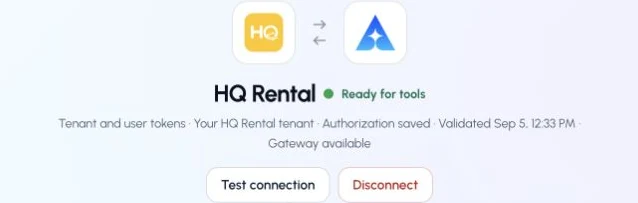
This captured HQ Rental connection reports ready. Check your own connection and its latest validation before using tools.
Try a first question with your AI agent
List the locations available in my connected HQ Rental tenant. Do not create or change a reservation.
These links are maintained by HQ Rental Software. ApexGenius documentation explains the gateway-specific connection flow; the vendor documentation remains the source for HQ API behavior.